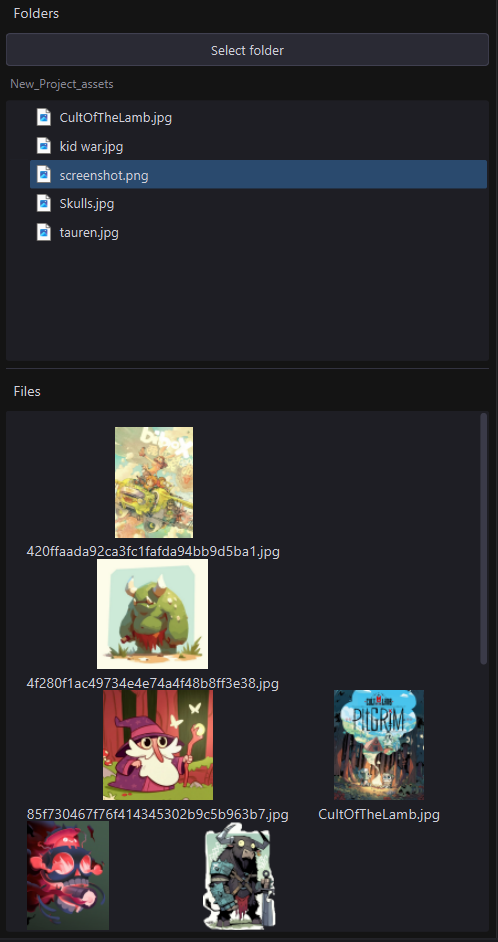
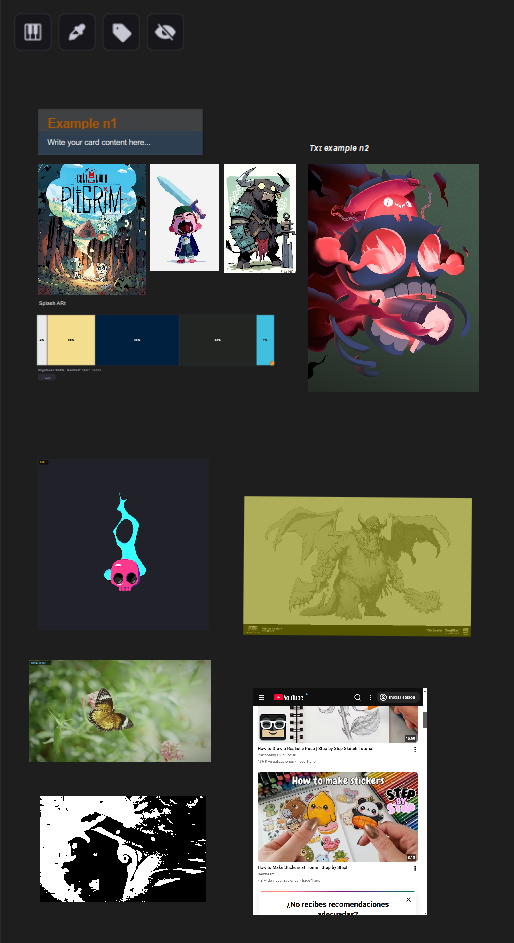
RefDock is built to remove friction from the way you collect and organise references.

Creative work doesn’t start with designing. It starts with gathering ideas, and that process is often slow and repetitive.

Opening multiple tabs, saving images one by one, renaming files, and moving them between tools breaks your focus. It turns something simple into unnecessary work.

RefDock keeps everything in one place. You can collect references, organise them freely, and keep each project stored so you can come back to it exactly as you left it.

It also includes a built in browser, text notes, and a flexible workspace designed to make things easier, especially if you are working on a single screen.

The goal is simple. Stay organised, reduce friction, and focus on creating without losing time or mental energy on the tedious parts of the process.

RefDock is a one time purchase, not a SaaS or subscription based product. Any future cloud features (if added) will remain optional, not necessary for the product to function, and can be paid separately, purely to enhance the experience.

Keep everything in one place. Instantly.

No 100 tabs open. No saving. No folders. No interruptions.

How it works

Collect, organise and explore visual references without breaking your flow.

1. Collect

Drag images from anywhere. Browser, folders, or clipboard.
They will save in your project folder instantly.


2. Arrange

Organise everything with auto grid or free canvas.
Add text, scribbles and more. 


3. Create

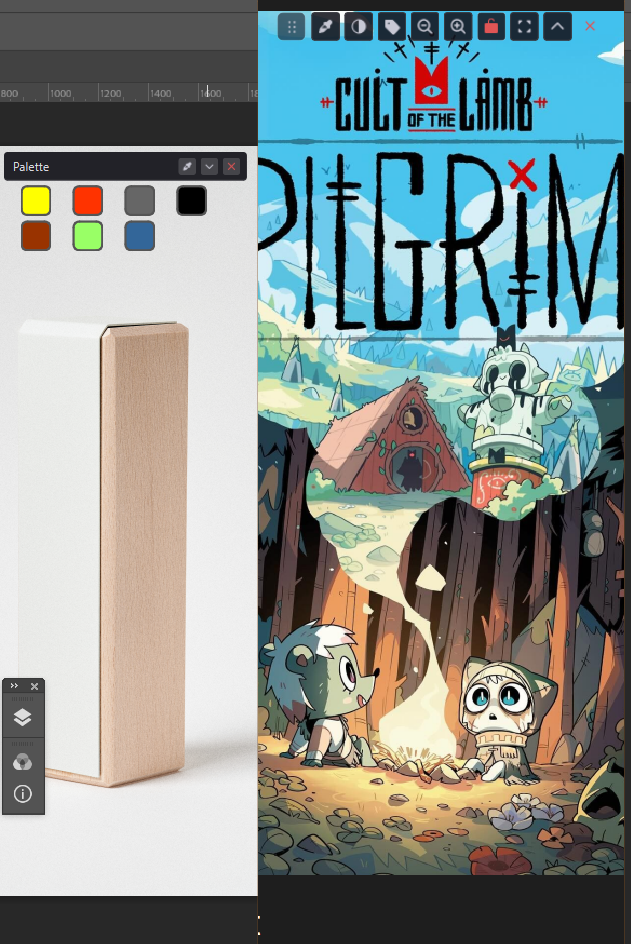
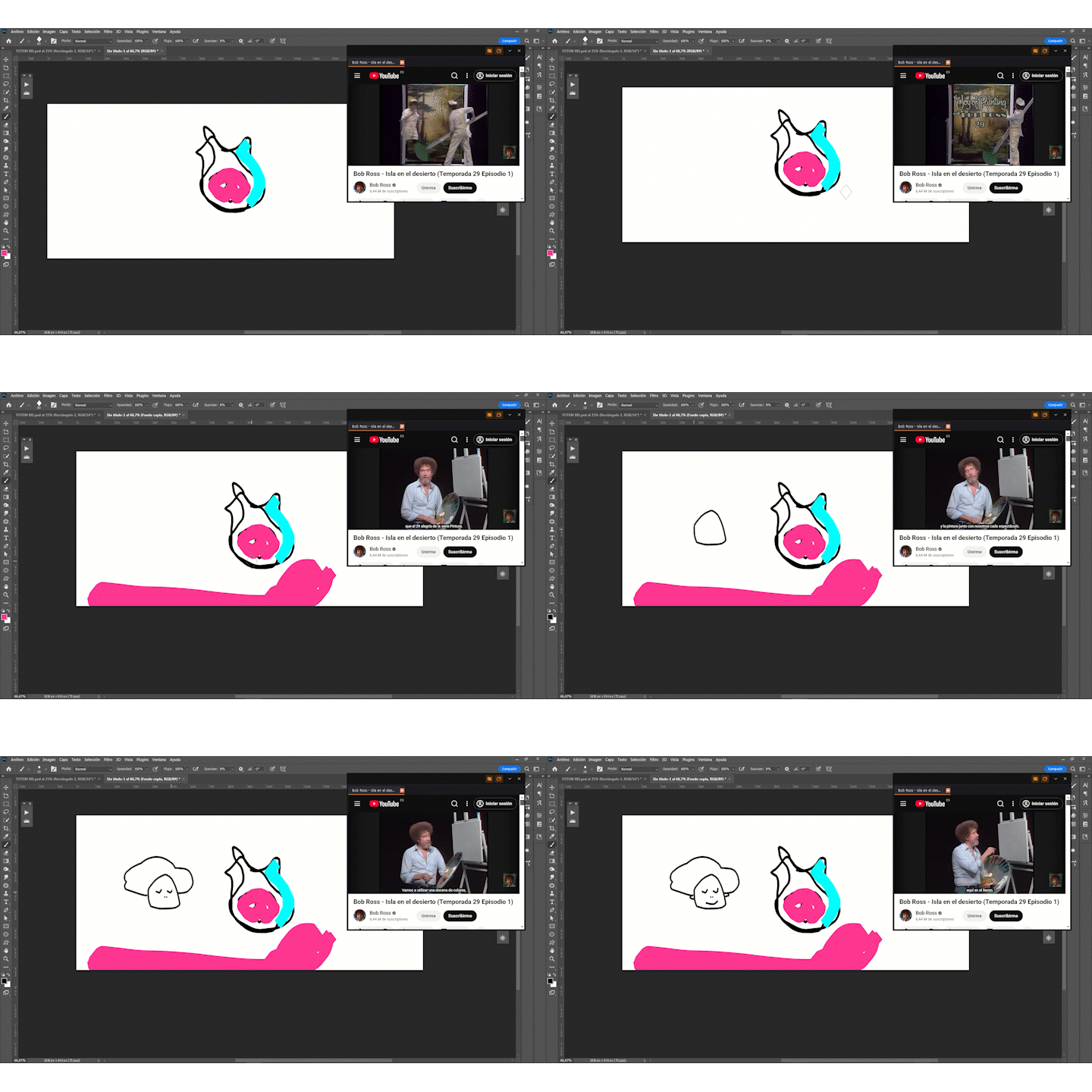
Stay focused and build your ideas without interruptions.
With our window on window.


Some features

1. Drag & drop from anywhere

Drag images from your browser, folders, or other apps directly onto the canvas.


2. Built-in browser

Browse and collect references without leaving the app.


3. ZIP import

Drop a pack of images and get an organised layout automatically.


4. Colour palette extraction

Generate colour palettes from any image instantly.


5. Frame capture from video

Extract key moments and turn them into still images.


6. Opacity control for tracing

Lower image opacity to study, trace, or sketch over references.


7. Tags & organisation

Label and filter references for better structure.


8. Drag to other tools

Send images directly to tools like Adobe Photoshop or Figma.


9. Single project file

Keep everything in one .refdock file.


10. Save Time

Everything saves on your project folder.

Take it for a spin

Try RefDock free for 2 months, or go all in with lifetime access.

I’m just checking | option

Start your free 2 months trial

One of us | One of us | One of us

One time 10€ purchase

Includes:

Early Access: This is the first version of RefDock. There may be bugs, but we’re actively working to fix them and improve the app with new features based on community feedback.

Windows Requirements

 MinimumRecommended
OSWindows 10 64-bitWindows 10/11 64-bit
CPU2 cores, 1.5 GHz4 cores, 2.5 GHz+
RAM4 GB8 GB+
GPUAny DirectX 11 compatible GPUDedicated GPU with 2 GB VRAM
Storage500 MB free2 GB+ free
Display1280×7201920×1080+
InternetRequired for license activation

RAM is the most important factor, working with large images or big boards will increase memory usage significantly. If you plan to build large reference collections, 8 GB or more will give you a noticeably smoother experience.

MacOS Requirements

 MinimumRecommended
OSmacOS 12 MontereymacOS 13 Ventura+
CPUIntel Core i5 / Apple M1Apple M1 / M2 / M3
RAM4 GB8 GB+
GPUMetal compatibleApple Silicon integrated GPU
Storage500 MB free2 GB+ free
Display1280×8001440×900+ (Retina)
InternetRequired for license activation

RAM is the most important factor, working with large images or big boards will increase memory usage significantly. If you plan to build large reference collections, 8 GB or more will give you a noticeably smoother experience. On Apple Silicon (M1/M2/M3), RefDock runs natively on ARM, expect better performance and lower power consumption compared to Intel Macs.

Note: RefDock has not been tested on older versions of Windows or macOS. Compatibility with systems below Windows 10 or macOS 12 Monterey is not guaranteed.